
Events that occur once
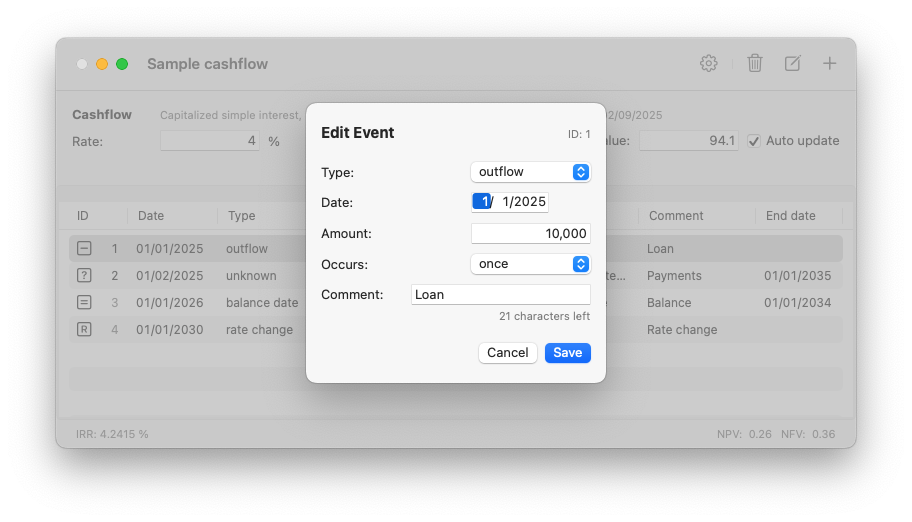
When adding an event, the default setting is for an Inflow event that occurs once.
Depending on how you want to set it up, you need to change its Type, Date and whether it occurs once or periodically. For some event types you'll also need to enter an Amount or Factor.
You can add a brief description in the Comment field.
Repeating events
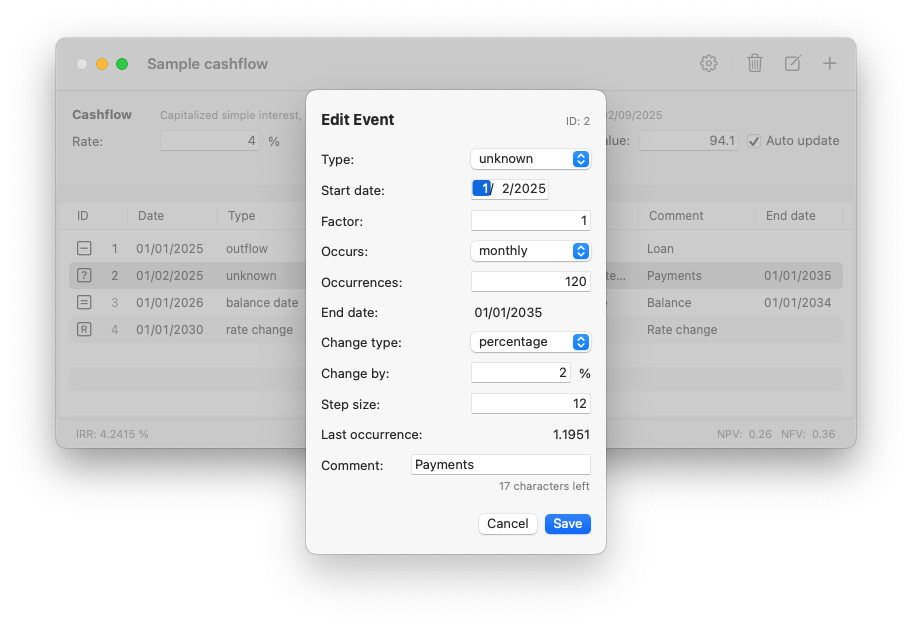
If you want the event to generate periodically repeating data items, choose the event frequency in the Occurs menu.
Then enter the number of occurrences in the Occurrences field. The End date will display the date of the last data item it will generate.
Next, you'll need to set the Change type choice to indicate whether the value you entered in the Amount or Factor field changes in the generated data items. The default is no change, but you can also set it to percentage, amount or factor, depending on the event type.
The Change by field contains the actual change value. Change values can be negative or positive.
The Step size field determines when the change is applied.
If the step size is left at 1, the change value will be applied to each generated data item.
If you want apply the change after a number of occurrences, set the appropriate value in the Step size field. For instance, if you want a value that occurs monthly to change every 12 months, set it to 12.
Note
The combination of the main value or factor, the number of occurrences, the change by value and the step value can result in a sign change in the generated values.
When this situation is detected, the value for the last occurrence will be displayed in red. Change the settings so that the value for the last occurrence becomes positive or zero.
Important: unknown events use factors, not amounts
Unknown events are used to solve for values that make the NPV of a cashflow zero. When you leave Auto update on, InterestThing will automatically calculate and display the solved unknown in the x Value field.
If you turn off Auto update and enter a value in the x Value, InterestThing calculates with a value you supply.
Usually you'll leave the factor set to 1, for instance to calculate regular loan payments, but you can also set it to another value, for instance to the number of advance payments in a lease.
If you want to calculate unknowns that change by a percentage, you can just enter the percentage.
If you want to calculate unknowns that change by a fixed amount, you will need to set the change factor relative to the factor of the event.
Example
Suppose the calculated value for a factor of 1 is 10,000.
Changing it by 4 % will generate the following values: 10,000, 10,400, 10.816.64, 11,248.64, ...
If you want the change to be a fixed amount of 400, you'll need to set the change factor to 0.04 to generate the values 10,000, 10,400, 10.800, 11.200, ...
Note: when the value in the x Value field changes to 15,000, the generated values will increase by 600: 15,000, 15,600, 16.200, 16.800, ...